Fostering technology skills and internet safety to prepare your future leader to impact the world at their fingertips
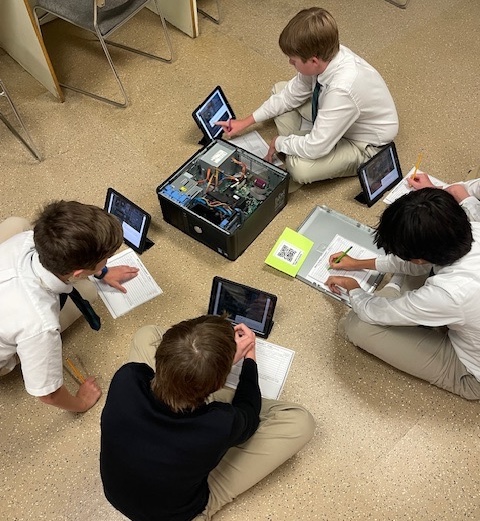
8th graders seen here are looking inside a computer to discover its different working parts.
WHAT TO EXPECT IN
COMPUTER CLASS AT SPCS
SPCS students have a weekly computer class beginning in Kindergarten. Their skills build year after year, allowing them to be proficient on Macs and PCs.
All classes participate in internet safety and Hour of Code (computer coding during Computer Science Week: Block and/or JavaScript).
Kindergarten:
Mouse control
Letters on the keyboard
KidPix: software for younger students that introduces them to click and drag, typing, add animations and music, paint, etc. Create individualized pictures
1st Grade:
Computers as a tool not toy
Complete sentence strips by typing then adding relevant pictures (Kidpix)
Learning how to type capital letters and spacing before and after punctuation (KidPix)
Internet Safety
2nd Grade:
Internet Safety including private information, safety rules for virtual field trips
Visiting other places using websites
Keyboarding!! Use DanceMat typing
3rd-4th Grade:
Reinforce keyboarding skills using typing.com and typing prayers, poems
Access to School Google Drive accounts
Learn Google Docs, Google Sheets
Coding
5th Grade:
Welcome to the Web: teaches internet skills, internet safety, internet search tips, browser skills
Google Docs, Google Sheets
Coding
Password Safety
6th-8th Grades:
Microsoft Word, Excel, PowerPoint, Publisher
Google Docs, Sheets, Slides
Email Etiquette
Coding
Presentation Skills
Reinforce typing skills (typing.com)
Research NC College
Digital Footprint
1:1 iPads
HAVE QUESTIONS?
CONTACT US!
For questions about admissions, please contact our Admissions Office at admissions@spcsnc.net